

Conducting regular audits using the Container handling equipment: limit protection audit list is essential for maintaining the safety and optimal performance of your equipment. With CEGC solutions, you can effectively address daily challenges such as load sway, collision risk, and harsh marine environments. The table below highlights the most common pain points encountered in container handling operations:
|
Pain Point |
Description |
|---|---|
|
Load Sway |
Strong winds can cause the hook to move, impacting the stability of the load during operations. |
|
Collision Risk |
Anti-collision sensors monitor distances to help prevent accidents with other equipment and structures. |
|
Environmental Factors |
Corrosive environments and uneven surfaces can destabilize equipment and introduce operational hazards. |
By following a systematic approach like the Container handling equipment: limit protection audit list from CEGC, you can detect early warning signs, minimize unplanned downtime, and ensure smooth, efficient operations.
Key Takeaways
-
Doing audits often with the limit protection audit list helps keep container handling equipment safe and working well.
-
Look at the capacity, load, and structure of the equipment to stop overload and make sure it works safely.
-
Use safety systems like anti-sway technology and emergency stops to lower risks when handling containers.
Container handling equipment: limit protection audit list
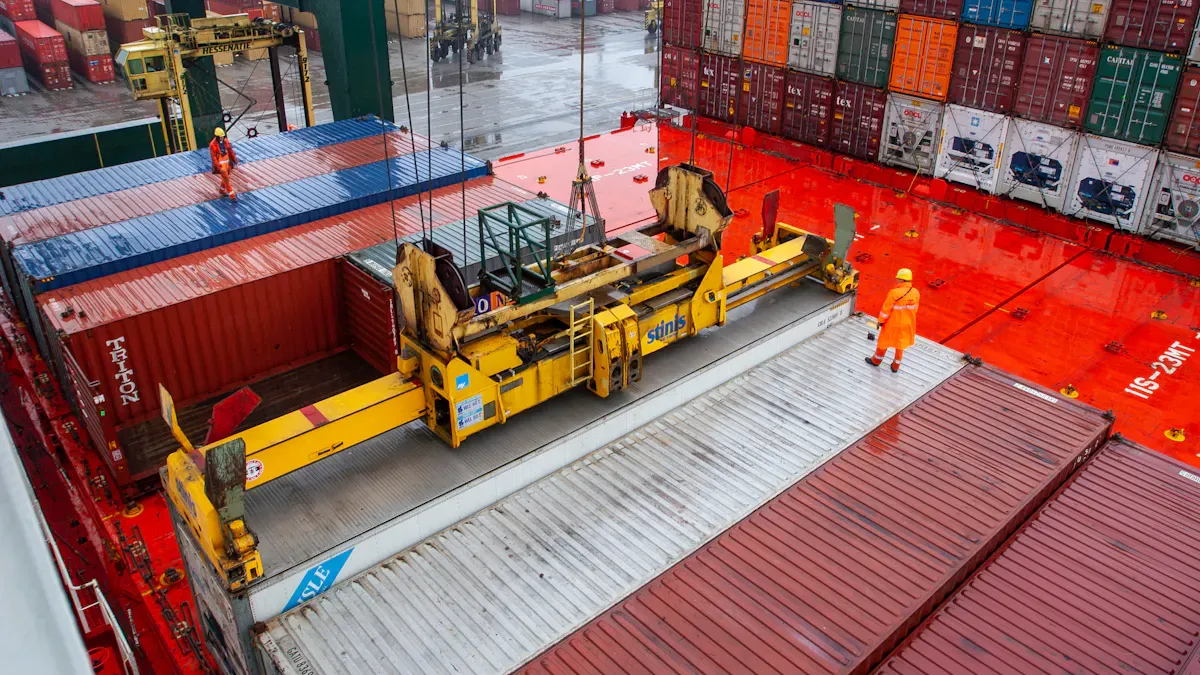
Audit essentials: capacity, load, and structure
Start every container handling equipment: limit protection audit list by checking the basics. First, look at the capacity, load center, and structure of your equipment. This is important for all CEGC port machines like portal cranes, container cranes, reach stackers, and ship loaders. Make sure each machine works within its rated capacity. Check that the load center follows the manufacturer's rules. Doing this keeps containers safe and stops overload problems.
Here is a table of industry standards that guide these checks:
|
Standard |
Description |
|---|---|
|
DOT 49 CFR Part 173 |
Shippers General Requirements for Shipments and Packagings |
|
DOT 49 CFR Part 180.211 |
Qualification and Maintenance of Cargo Tanks |
|
FMCSA 49 CFR Part 396 |
Inspection, Repair, and Maintenance |
|
IATA DGR 64th Edition Section 9 |
Guidelines for handling dangerous goods |
|
OSHA 29 CFR 1910.176 |
Handling Materials - General |
Check the structure of every portal crane, container handler, and reach stacker. Look for cracks, rust, or bent parts. Saltwater can make rust happen faster, so check for rust and broken paint. CEGC has special anti-corrosion systems to help keep containers safe and make equipment last longer.
Safety systems: anti-sway, interlocks, and controls
Safety systems are a big part of your container handling equipment: limit protection audit list. Load sway and collision risks are big dangers for containers. New anti-sway technology uses fast cameras and laser scanners to watch how loads move. These systems change crane movement right away to stop swinging and help place loads better. CEGC puts advanced anti-sway control and load tracking in its container cranes and ship cranes.
Here is a table of key safety features you should check during your audit:
|
Feature |
Description |
|---|---|
|
Anti-sway technology |
Stabilizes loads by adjusting crane motion to minimize swinging during transport. |
|
Load sensors |
Monitor weight distribution to prevent tipping and ensure safe load limits. |
|
Emergency stop functions |
Halt crane operation in emergencies to enhance safety. |
|
Automatic locking mechanisms |
Secure containers during transport, reducing accident risks. |
|
Anti-collision sensors |
Prevent contact with workers and equipment, ensuring a safe working environment. |
Also, check for safety interlocks, emergency stop systems, and zone-based collision prevention. These features help keep containers safe and lower mistakes. CEGC’s operator HMI gives clear alarms and easy steps, so your team can follow safe rules.
Documentation and compliance checks
You must include paperwork and rules in your container handling equipment: limit protection audit list. Good records keep containers safe and help you avoid fines. Before you start, check the container’s ID, CSC plate, and all shipping papers. Make sure the maximum weight is easy to see and not too high. If you move dangerous goods, check hazmat signs, matching, and packaging rules.
Here are the main documentation steps you should follow:
-
Make sure all shipping papers (bill of lading, packing list, customs forms) are there.
-
Check that the container seal is not broken and matches the records.
-
Look at maintenance logs and old audit reports for each portal crane, container crane, and reach stacker.
-
Plan regular audits and maintenance to stop emergency repairs.
If you do not keep good records or show papers during an audit, you could get fined. For example, not showing papers can cost $5,000, and more if it happens again. Good paperwork keeps containers safe and helps you follow port safety rules.
Tip: Use predictive maintenance tools to collect data and plan repairs before things break. This cuts down on downtime and helps your container handling equipment last longer.
By using the container handling equipment: limit protection audit list, you make sure every audit checks capacity, load, structure, safety systems, and paperwork. This keeps containers safe, lowers risk, and helps your port work well.
Step-by-step audit process
Mechanical and electrical limit checks
Begin your audit by checking all mechanical and electrical limits. This helps you spot problems early. Look at crane parts for any damage or wear. Make sure the load weight is safe. Check that rigging is tight and secure. Look at load sensors and indicators to see if they work right. Always do safety checks before using the equipment. Inspect tires, wheels, brakes, and steering for issues. Check hoist and spreader parts, like wire ropes and emergency systems. Test safety devices such as limit switches and emergency stop switches. Look for leaks or damage on the equipment. CEGC has solutions to help you meet industry standards for these checks. If you use a docker bench for security, you can track inspections and keep your audit report correct.
Software, HMI, and operator safety
Now, check the software and operator screens. Real-time data shows you system updates right away. Alarm systems warn you if something is wrong. User access controls keep important functions safe. Diagnostics help you fix problems fast. Automation and sensors help stop mistakes and keep workers safe. CEGC’s operator HMI gives clear alarms and easy steps to follow. You can use a docker bench for security to log software checks and keep your audit report complete. Train your staff often so they know how to use all digital tools and safety features.
|
Feature |
Description |
Impact on Safety |
|---|---|---|
|
Real-time data visualization |
Shows system state instantly |
Prevents mistakes |
|
Alarm management system |
Alerts to abnormal conditions |
Reduces downtime |
|
User access controls |
Limits access to key functions |
Stops unauthorized changes |
|
Diagnostics support |
Guides troubleshooting |
Improves maintenance |
Maintenance, energy, and lifecycle review
End your audit by looking at maintenance, energy use, and equipment life. Doing regular maintenance stops breakdowns and keeps things working well. Energy checks help you find ways to save power. Smart energy systems use real-time data to use less energy. Checking equipment life often saves money and keeps machines running longer. Companies that do preventive care have up to 30% less downtime. Use a docker bench for security to track maintenance and make a good audit report. Digital tools help you keep records and follow the rules. Always update your audit records for the best results.
Tip: Plan training for your team often. This helps everyone get ready for audits and keeps work safe and smooth.
You make your equipment safer and work better by using a limit protection audit. Watching things in real time and doing audits often helps you write a good report for each job. Change your audit steps when new technology comes out. CEGC solutions can help you make a report that works for you.
-
Finding problems right away and looking at data helps lower risks and makes your reports better.
-
Every time you do an audit and write a report, your team learns to be safer.
|
Metric |
Good Performance Target |
|---|---|
|
95-100% |
|
|
Control Effectiveness Score |
85-95% |
|
Mean Time to Mitigation |
Under 30 days |
|
Percentage of Risks Monitored |
100% |
|
Risk Realization Rate |
Below 5% |
Always try to make your audits and reports better. This keeps your team and port safe.
FAQ
What is a security audit for container handling equipment?
A security audit checks your equipment for safety and security problems. This helps you find issues before they cause harm or stop work.
How often should you perform a security audit?
You should do a security audit at least once a year. Some ports do audits every six months to keep things safe and lower risks.
Why do you need an image vulnerability scan during a security audit?
An image vulnerability scan finds hidden security problems in your system. This scan helps you see each problem and make your security better.
Tip: Always update your security audit records. This helps you watch for problems and plan your next audit.
|
Security Audit Step |
Purpose |
|---|---|
|
Check access controls |
Protects your equipment |
|
Review software updates |
Stops new security threats |
|
Inspect physical barriers |
Increases site security |


