
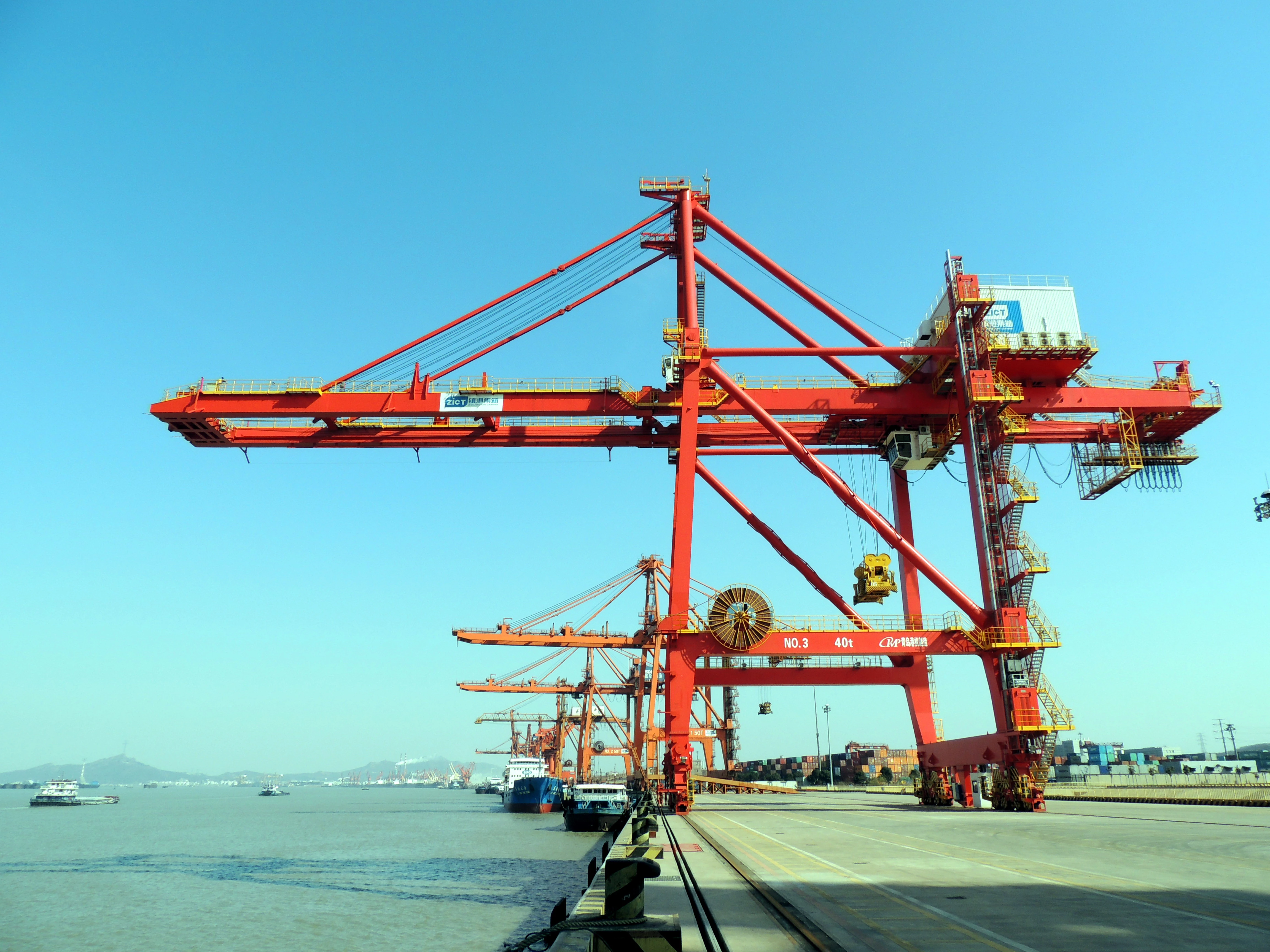
You can see real savings in port crane dispatch: prove savings with data from CEGC equipment. Port crane dispatch can demonstrate savings through data by addressing challenges such as safety, efficiency, lifecycle cost, and energy use. Automation, skilled operators, improved movements, regular maintenance, and electric or hybrid systems are essential in resolving these issues. The table below illustrates how each technical solution aligns with a specific problem:
|
Pain Point |
Technical Solution |
|---|---|
|
Safety |
Automation and skilled operators |
|
Efficiency |
Data-driven operations and optimized movements |
|
Lifecycle Cost |
Regular maintenance practices |
|
Energy Consumption |
Transition to electric or hybrid systems |
Additionally, you may encounter change management, data quality, cybersecurity risks, and connectivity issues. These challenges require careful planning and robust technology.
Key Takeaways
-
Use real-time data to watch crane movements and make dispatch better. This helps things run smoother and saves money.
-
Use automation and skilled workers to make things safer and work better. This means there are fewer accidents and the work goes well.
-
Doing regular maintenance is important to keep costs down over time. Taking care of equipment helps save money later.
-
Look at key performance indicators like Equipment Utilization Rate and On-Time Arrival to see how well things are going. These numbers show what can be improved.
-
Use electric or hybrid systems to use less energy and make less pollution. This change saves money and helps the environment.
Port crane dispatch: prove savings with data
Key operational data types
You need to use the right data to show port crane dispatch savings. In ports, cranes give information when loading and unloading. This includes logs of movements, times for handling, fuel used, labor used, and maintenance records. Real-time status tells you where each crane is and what it is doing. You also get field data from radios or messaging apps. These informal channels can show missing information. If you do not add this data to main systems, you may miss important insights. These insights help with equipment dispatch and yard optimization. By collecting all these data points, you can automate workflows and make scheduling better for loading and unloading.
-
Crane movement logs
-
Handling and cycle times
-
Fuel and labor consumption
-
Maintenance and downtime records
-
Real-time equipment status from field data capture
Real-time data collection methods
You must use good data capture methods to show port crane dispatch savings. Real-time data collection uses sensors, cameras, and terminal operating systems. These tools help you watch cranes and equipment dispatch in ports. The table below shows best ways to capture and optimize data:
|
Best Practice |
Description |
|---|---|
|
Reliable Data Sources |
Use sensors, cameras, and TOS for accurate data capture. |
|
Effective Dashboard Design |
Focus dashboards on critical KPIs for clear, actionable insights. |
|
Integration of Data Streams |
Combine multiple data capture sources for better scheduling and optimization. |
Digital crane management systems and IoT devices give real-time status and help with field data capture. These systems help you cut delays, improve workflow, and make yard optimization better.
Organizing data for analysis
To show port crane dispatch savings, you must organize your data well. You should use GIS mapping and smart routing to see crane locations and make dispatch better. Automated unit assignment and real-time tracking help you use resources well and support scheduling. The table below shows how these features help save money and optimize:
|
Core Feature |
Primary Function |
How It Saves Money |
|---|---|---|
|
Visualizes locations, calculates optimal routes in real-time |
Reduces fuel, maintenance, and overtime through better routing |
|
|
Automated Unit Assignment |
Recommends best unit based on status and proximity |
Minimizes wasted hours and secondary dispatches |
|
Real-Time Status Tracking |
Shows instant status of all cranes and equipment |
Improves allocation, reduces radio traffic, speeds redeployment |
You should set KPIs, pick data owners, and decide how often to refresh data. This helps keep operations, scheduling, and workflow optimized. CEGC’s anti-sway systems, predictive maintenance, and automation solutions help you capture, analyze, and use real-time data for equipment dispatch. By following these steps, you make sure port crane dispatch saves money and improves ports.
Data analysis for container terminal operations
Before-and-after comparisons
You can show savings by looking at data from before and after new systems. First, collect data on cycle time, energy use, and downtime. This helps you see the effect of CEGC’s predictive maintenance and energy efficiency systems. When you check the results, you find out how much things got better.
A strong data plan helps you use information to work better. You can find slow spots and make smart choices. Terminal Operating Systems let you watch what is happening in real time. You can fix problems as soon as they come up. You use equipment and workers in the best way. This makes work faster and saves money.
Tip: Always write down your process changes and keep good records. This helps your before-and-after checks stay correct and trustworthy.
Key performance indicators (KPIs)
You need to watch the right KPIs to see how well your terminal works. These numbers show how your port crane dispatch is doing and where you can do better. The table below lists the most important KPIs for your review:
|
KPI Category |
Relevant KPIs |
|---|---|
|
Operational Performance |
Throughput & volume metrics, gate & shore operations, vessel & quay operations |
|
Sustainability & Environment |
Emissions per container, energy consumption, shore power consumption |
|
Employees & Safety |
Occupational health and safety metrics such as TRIR |
|
Resilience & Risk Management |
Downtime recording, emergency preparedness, incident response |
|
Commercial Focus |
Cost per transhipment, ROI per asset, berth utilisation |
|
Customer Experience |
Service level indicators, missed stacking windows, real-time container status |
|
Timeliness |
On-Time Arrival and Departure, Gate Moves per Hour |
|
Equipment Utilization |
Equipment Utilization Rate, Dwell Time |
|
Efficiency |
Reducing costs per transhipment, increasing service reliability |
Focus on KPIs like Gate Moves per Hour, Equipment Utilization Rate, Dwell Time, and On-Time Arrival and Departure. These numbers help you see how your terminal is doing. They also show where you can save money and work better.
Statistical and real-time analysis
You can use math and real-time checks to learn more about your terminal. Predictive analytics uses old data to guess what will happen next. This helps you know when ships will come, how many containers you need, and if equipment might break. You can plan crane work better and stop delays.
Real-time checks stop containers from getting lost and block unsafe machines. Shock sensors notice bumps and give you quick info about accidents. You can connect outside trucks to your port’s system, which helps everything run smoother. These systems put all your data together and let you watch important equipment right away. This helps you use resources well and make good choices.
Modern cranes lift heavy things well and use less energy. When you switch from diesel to electric or hybrid, you cut emissions and save energy. Ports that update their cranes often get their money back in a few years.
Note: CEGC’s predictive maintenance and energy efficiency systems help your data checks by giving real-time tips and advice. You can spot trends, find problems early, and keep your work running well.
Showing results and measuring savings
Throughput and cost reduction metrics
You can check how much your port crane dispatch has improved by using simple performance numbers. These numbers help you see how well your work is going and where you are saving money. Focus on throughput, efficiency, and how much things cost to run. The table below lists the main numbers for container handling equipment:
|
Metric |
Description |
|---|---|
|
Gross Moves Per Hour (GMPH) |
Total moves divided by all time from first to last move, including every delay. |
|
Net Moves Per Hour (NMPH) |
Total moves divided by crane working time, not counting big stoppages. |
|
Productive Moves Per Hour (PMPH) |
Total moves divided by active moving time, not counting any delays or waiting. |
|
Crane Availability (%) |
Scheduled time minus downtime, divided by scheduled time, times 100. |
|
Moves Per Vessel Hour |
Total moves divided by vessel time at berth. |
|
Rehandle Rate (%) |
Rehandle moves divided by total moves, times 100. |
You can use these numbers to compare your work before and after you make changes. This helps you see your savings and make berth and crane schedules better.
Reporting real-time savings
You need to show your savings in a way that is easy for everyone to understand. Real-time reports give you quick updates about your work. You can keep track of how long jobs take, how much energy you use, and any problems during each shift. The table below shows how you can set up your data for fast checks:
|
Metric |
Description |
|---|---|
|
Time taken |
How long each job takes for the crane |
|
Energy used |
How much energy is used while working |
|
Issues or slowdowns |
Any problems that happen during the job |
|
Equipment condition |
The state of the crane’s equipment, if needed |
You can show your results with charts, tables, and short reports. These pictures and reports help leaders see patterns and understand your ideas. Good visuals make it easier to see what is happening and help people make better choices.
Sharing results with stakeholders
You should share your results in a way that everyone can understand. Use mobile apps so port workers can see important data anywhere. Set up clear ways to talk so everyone knows what is going on. Have regular meetings to talk about work and share news. You can also use short reports and dashboards to show how things are going.
Tip: CEGC can help you make custom reports for your port machines. You can change your reports to fit your project and share your results easily.
By doing these things, you help your team and partners see what is happening. This helps everyone make smart choices and keep getting better.
You can show port crane dispatch savings by using a simple plan. First, update your main screen fast for important moves. Next, make sure cranes are in the right place and find slow spots. Also, watch numbers like how long cranes wait and how many jobs get done at the gate.
When you use CEGC’s automated scheduling and data tools, you make work safer and faster. AI analytics, predictive maintenance, and digital twins help you keep improving. Begin with these steps to make your port operations better all the time.
FAQ
What types of port cranes does CEGC support for dispatch optimization?
You can use CEGC solutions with portal cranes and container cranes. Ship cranes and reach stackers also work with CEGC systems. CEGC supports container handling gantry cranes and ship loaders too. These systems help you make dispatch better and boost efficiency.
How does real-time data help reduce port crane operating costs?
You get instant updates about crane status and energy use. You also see job progress right away. This data helps you find delays and cut idle time. You can plan jobs better and save money. Using cranes more efficiently means fewer unnecessary moves.
Can CEGC systems improve safety during crane operations?
Yes. CEGC offers anti-sway control and safety interlocks. Operator-friendly displays are included as well. These features help lower collision risks. They make lifting safer for your team.
What KPIs should you track to measure dispatch savings?
You should track Gross Moves Per Hour and Equipment Utilization Rate. Dwell Time and Crane Availability are important too. These KPIs show how well your port crane dispatch works. They also show where you can save more.
Does CEGC offer custom reporting for different port projects?
Yes. CEGC gives custom reports and dashboards. You can change these tools to fit your project needs. You can share results with your team and stakeholders.


