
Overload settings decide TBM machine rescue time, making it possible to quickly address any issues and minimize downtime. With real-time monitoring, you reduce the frequency of repairs, allowing your TBM machine to tunnel more meters each day and spend less time on maintenance. This keeps your project moving forward efficiently. CEGC provides tunnel machines that meet market standards and can be customized to fit your unique project requirements.
|
Benefit |
Impact on Downtime |
|---|---|
|
Cuts down project downtime |
|
|
Fewer emergency repairs |
Stops sudden machine failures |
|
Lower maintenance costs |
Saves time spent fixing machines |
|
Fewer stoppages |
Makes project timeline easier to predict |
Key Takeaways
-
Set overload limits by looking at ground conditions. This helps protect your TBM and cuts down on downtime.
-
Use real-time monitoring to spot problems early. This lets you act fast and keeps the project from being delayed.
-
Pick tunnel machines that have safety features. These features help the machine work better and lower the need for emergency repairs.
Overload Settings Decide TBM Machine Rescue Time
What Are Overload Settings?
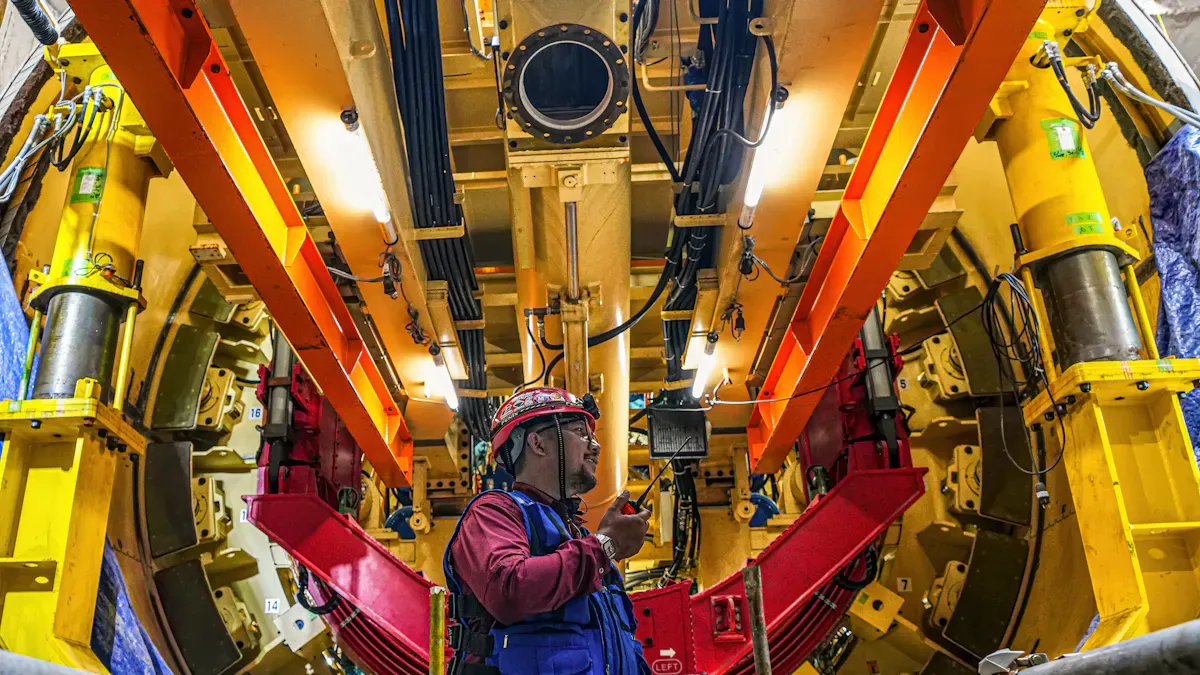
You use tunnel machines often. Overload settings decide TBM machine rescue time because they help your equipment handle tough underground conditions. These settings tell your TBM to stop or slow down if it faces too much force. You set limits for thrust, torque, and other forces. When the TBM hits these limits, it protects itself from harm.
CEGC makes tunnel machines with overload settings that follow market standards. You can change these settings for your project. If you work in soft soil, you need different limits than in hard rock. Overload settings decide TBM machine rescue time by helping you avoid breakdowns and keeping your machine safe.
Tip: Always check your overload settings before starting a new drive. Setting them right keeps your TBM working well and lowers risk.
Impact on Rescue Time
Overload settings decide TBM machine rescue time in many ways. If you set them right, your TBM stops before it gets stuck or damaged. You spend less time rescuing the machine and more time tunneling. Wrong settings can cause jams, cutter wear, or machine failure. You lose hours or days fixing these problems.
Here are some ways overload settings decide TBM machine rescue time:
-
You avoid ground instability by stopping the TBM before it pushes too hard.
-
You protect cutters from too much wear, so you replace them less often.
-
You reduce project delays because you spend less time on emergency repairs.
|
Pain Point |
Solution with Overload Settings |
Result |
|---|---|---|
|
Ground instability |
Stops TBM before face loss |
Stable excavation |
|
Cutter wear |
Limits torque to protect cutters |
Longer cutter life |
|
Project delays |
Prevents machine jams |
Faster rescue, less downtime |
Overload settings decide TBM machine rescue time by giving you control. You can change them for different ground conditions. If you see the TBM struggling, you adjust the settings to match the geology. This helps you manage risk and keep your project on track.
You see the benefits every day. Your TBM moves forward with fewer stops. You spend less money on repairs. You finish your tunnel faster. Overload settings decide TBM machine rescue time, so you stay ahead of problems.
Real-Time Monitoring & Rescue Response
Role of Real-Time Data
You need real-time data to keep your tbm working well. Real-time monitoring helps you find problems before your tunnel machine stops. Advanced technology gives you better torque control and faster rescue times.
|
Technology |
Description |
|---|---|
|
IoT Sensors |
Let you watch many TBM settings in real time. This helps you know what is happening. |
|
Digital Twin Models |
Show a live digital copy of the TBM. You can make quick changes and control it easily. |
|
Advanced Data Analysis |
Uses deep learning to guess and improve TBM performance. |
You see real-time monitoring help every day. Real-time data gives you quick information about your tbm’s performance. Interactive dashboards let you check thrust force and torque control. You make fast choices that keep people safe and cut downtime. This makes your project run better and stay on schedule.
Best Practices for Fast Rescue
You can use these best practices to rescue your tbm quickly and make it work better:
-
Set overload limits for ground conditions and cutter wear. This gives you better torque control and helps cut downtime.
-
Use torque control systems to change thrust and torque in real time. Predictive torque control helps you stop jams and keep performance steady.
-
Check real-time dashboards often. You can find problems early and use safety features to protect your team.
-
Pick a tunnel machine with safety features and good ground conditioning. These choices help you cut downtime and get better torque control.
-
Work with CEGC for custom solutions. You get torque control systems and ways to cut downtime for your project.
Note: Real-time monitoring, better torque control, and safety features help you work faster and safer. You finish your tunnel sooner and with less risk.
You can make TBM rescue time faster by setting overload limits. Real-time monitoring helps you see problems before they get worse. When you set things up right, you can dig faster and find issues early.
-
Watching data all the time helps you know how the TBM is working. This helps you stop delays.
-
CEGC changes thrust and power for your needs. This means cutters last longer and the machine works better.
FAQ
What is the main purpose of overload settings in a tunnel boring machine?
Overload settings help keep your tunnel boring machine safe. They stop the machine from getting damaged. These settings help you avoid jams. Your project can keep going without big stops.
How does real-time monitoring improve tunnel boring machine rescue time?
Real-time data lets you see problems as they happen. You can fix things before they get worse. This helps you rescue your tunnel boring machine faster. You spend less time waiting for repairs.
Can you customize overload settings for different tunnel boring machine projects?
You can change overload settings for each project. This lets you match the settings to the ground. You can make the machine work better for your needs.


