
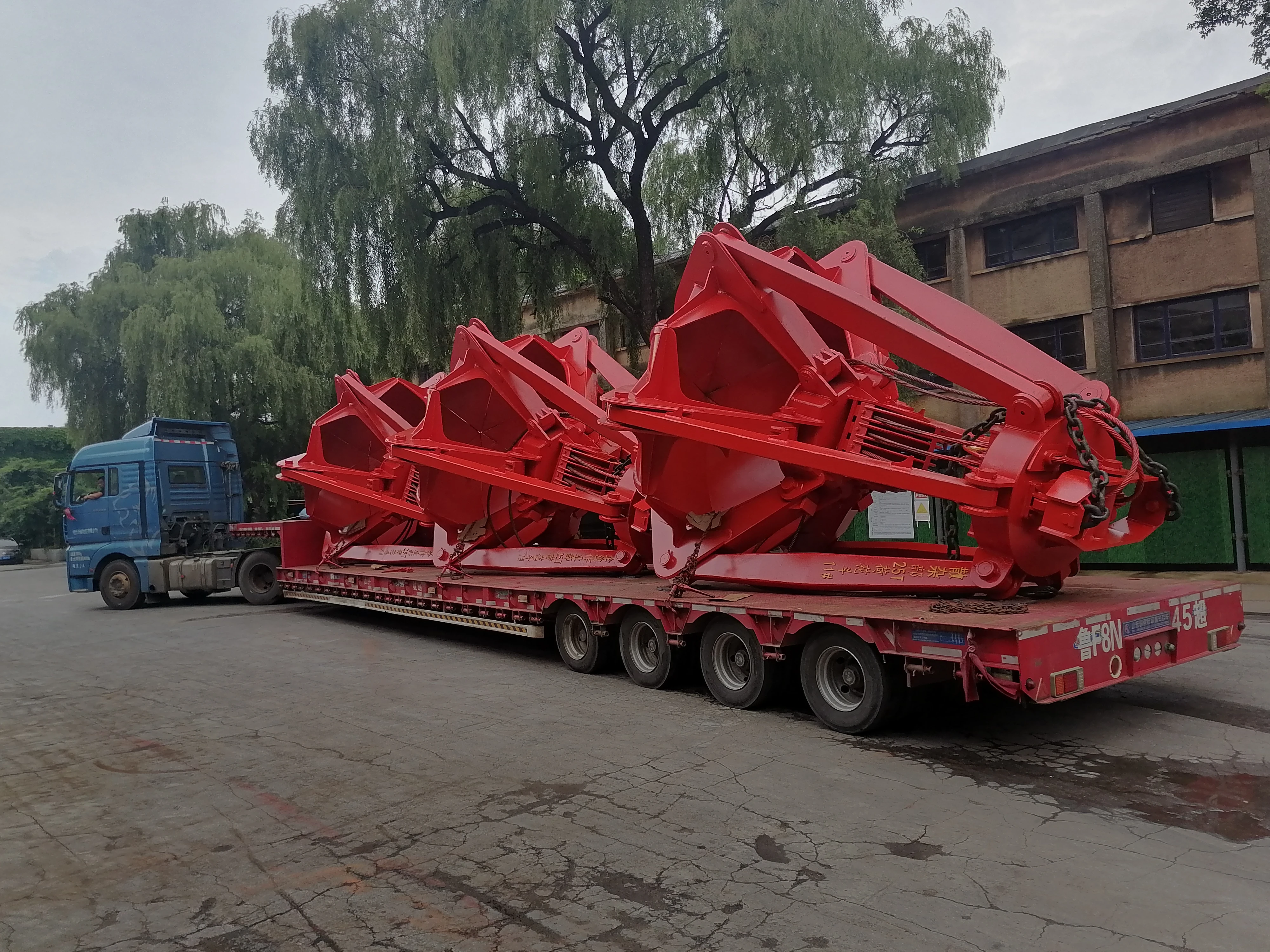
You use a portal crane: automation commissioning checklist to keep your port machines safe. This checklist helps you follow OSHA rules and stop machine downtime. You must check for load sway, collision risk, and safety problems. CEGC gives you standard specs and custom choices for each portal crane. When you inspect, you aim for OSHA rules and lower risk. Each inspection checks OSHA rules for your portal crane. The portal crane: automation commissioning checklist helps you check sensors, wires, and all inspection points. OSHA wants you to use an inspection plan for every portal crane. You get better results when you customize. The table shows how custom specs make your portal crane: automation commissioning checklist better.
|
Aspect |
Impact on Commissioning Outcomes |
|---|---|
|
Operational Efficiency |
Customization helps the crane do special jobs well, so it works better. |
|
Safety |
Custom changes make sure safety rules are met, so accidents are less likely. |
|
Adaptability |
Custom features let the crane work in many places, so it can do more jobs. |
|
Performance and Longevity |
Stronger parts and new features help the crane last longer and work better. |
Key Takeaways
-
Use a portal crane automation commissioning checklist to make sure everything is safe and follows OSHA rules. This helps stop accidents and keeps the machine working.
-
Change your checklist to fit your needs for better work and safety. Special checklists help the crane work better and let it do different jobs.
-
Write down each step of the inspection process. Keeping good records shows the crane is safe and ready to use. This makes sure everyone does their job right.
Pre-commissioning preparation
Documentation review
You need to look at all technical documents before you use the portal crane. Check the installation drawings, wiring diagrams, and operation manuals. Make sure you have the newest versions. See if there are special instructions from CEGC. These might include custom specs for your project, like special safety features or different automation levels. You also need to check that your documents follow all local and international rules. Doing this helps you not make mistakes when you start commissioning.
Tip: Make a checklist of all the documents you need. Mark each one after you check it. This keeps you organized and helps you not forget anything.
Team roles and tools
You should have a clear plan for your team. Give each person a job to do. For example, one person can check the wiring. Another person can test the sensors. Someone else can look at the software setup. This helps everything go well and keeps people safe. Write down all the tools and equipment you will need before you start. Some common tools are multimeters, torque wrenches, laptops for software checks, and safety gear.
-
Sample tool checklist:
-
Multimeter
-
Insulation tester
-
Laptop with crane software
-
Personal protective equipment (PPE)
-
Communication radios
-
If your project uses CEGC’s custom options, you might need more tools or special training. Always look at the project specs and ask CEGC for help if you are not sure. Good planning helps you finish the job safely and on time.
Portal crane inspection and verification
Physical installation check
You start every portal crane inspection with a walkaround. You look at the whole machine. You check the main frame, legs, and all moving parts. You make sure nothing is loose or damaged. You look for cracks, rust, or missing bolts. You check the wheels and rails for wear. You also look at the ladders, platforms, and handrails. You want to see that everything is safe for workers.
You follow crane inspections steps for every part. You check the hoist, trolley, and gantry. You make sure all parts move smoothly. You look for oil leaks or signs of damage. You check the spreader and lifting hooks. You want to see that they are strong and not bent. You also check the counterweights and bumpers. You make sure they are in the right place.
Tip: Take photos during your inspection. Photos help you remember what you saw and show proof that you followed crane inspection requirements.
Wiring and connections
You check all the wiring and electrical connections during crane inspections. You look at the cables for cuts, burns, or loose ends. You make sure the wires are not rubbing against sharp edges. You check the control panels and junction boxes. You want to see that all covers are closed and sealed.
You test the grounding system. You make sure the portal crane has a good ground. You check the power supply and backup systems. You look at the connectors for signs of heat or corrosion. You follow crane inspection requirements for every wire and cable. You also check the emergency stop buttons and limit switches. You want to see that they work every time.
You use a multimeter to test the voltage and current. You check the insulation with a tester. You write down the results for every test. You follow the steps for crane inspections to make sure the portal crane is safe and ready.
Sensor and actuator validation
You check all sensors and actuators during crane inspections. You look at the load sensors, angle sensors, and wind sensors. You make sure they are in the right place and not damaged. You test the sensors by moving the portal crane. You watch the readings on the screen. You want to see that the numbers match the real movement.
You check the actuators that move the hoist, trolley, and spreader. You make sure they respond to commands. You test the brakes and safety interlocks. You want to see that the portal crane stops when it should. You follow the steps for crane inspections to check every safety device.
You pay special attention to the anti-sway and collision prevention systems. These systems help keep the load steady and stop accidents. You check the sensors and control logic. You look for common problems that can happen during these checks. The table below shows some issues you might find:
|
Issue Type |
Description |
|---|---|
|
Mechanical Wear |
Mechanical and hydraulic issues cause most cases of crane load drift. Mechanical wear increases gaps in hydraulic parts, causing fluid to bypass and lowering efficiency. |
|
Operator Errors |
Human and operational factors matter. Operator errors and lack of training increase the risk of load drift and falling loads. |
|
Environmental Factors |
Wind and harsh weather can cause the system to misread the load position, leading to crane load drift. |
|
Sensor Failures |
PLC and sensor failures create confusion in control logic, leading to misreading of load position. |
|
Brake System Malfunctions |
Problems with hoist brakes can cause load drift, allowing the load to move when it should stay still. |
You check for these issues during every portal crane inspection. You make sure the anti-sway system works. You test the collision prevention zones. You want to see that the portal crane stops or slows down when something is in the way. You follow all crane inspections steps to keep the portal crane safe and reliable.
Note: If you find a problem, you write it down and tell your team. You fix the problem before you finish the portal crane inspection.
Software and control system checks
PLC and HMI setup
You must set up the PLC and HMI before you start using your portal crane. The PLC controls all the main actions of the portal crane. You load the right program and check that every input and output works. The HMI lets you see what the portal crane is doing. You use the HMI to watch alarms, check status, and follow safe operating steps. Make sure the HMI shows clear messages and guides you through each step. If your portal crane has custom features from CEGC, check that the HMI displays these options. Always test the emergency stop and reset functions on the HMI.
Network and communication test
You need a strong network for your portal crane to work safely. Test all connections between the PLC, HMI, sensors, and remote systems. Use wireless technologies like 5G or Wi-Fi 6 to get low latency and high reliability. These help your portal crane avoid delays and keep moving loads safe. Many port machines, such as AGVs and AMRs, depend on fast and steady signals. URWB technology can give you ultra-reliable, low-latency links under 10 ms. Check for dropped signals or slow response times. Fix any weak spots before you move to the next steps.
-
Wireless 5G and Wi-Fi 6/6E support low latency and high reliability.
-
AGVs and AMRs need dependable connections to avoid safety risks.
-
URWB gives ultra-reliable, low-latency links (under 10 ms) for critical tasks.
Safety interlock validation
You must check all safety interlocks on your portal crane. These interlocks stop unsafe moves and protect workers. Test each safety device, such as limit switches, overload sensors, and zone barriers. Make sure the portal crane stops or slows down when needed. Follow the right procedures for each test. Write down your results and fix any problems right away. Good safety checks keep your portal crane ready for daily work.
Functional testing procedures
Manual operation test
First, you test the manual controls on the portal crane. You move the hoist, trolley, and gantry with the control panel. You watch how the portal crane reacts to each button you press. You check if the load moves smoothly and stops where you want it to. You use the manual controls to test the spreader and lifting hooks. You make sure the portal crane listens to your commands right away. You write down every step you take during the inspection. You listen for strange noises or look for worn parts. You check the brakes and limit switches to see if they work. You make sure the portal crane stops at the right spots. You do this inspection for every shift and operator.
Automated sequence validation
You run the automated programs on the portal crane. You start the routines and watch the portal crane move through each step. You check if the portal crane goes the right way and stops in the correct places. You look for mistakes in the software by watching the screen and the real movement. You look for alarms or times when the portal crane stops when it should not. You update your checklist after each test. You use your own judgment to make sure the results are right.
Large language models can help assign codes faster, but people must still make the final decisions in important safety jobs. A human-in-the-loop system helps with this. The model suggests a code and gives a reason. Technicians check the code, fix mistakes, and add things the model missed, like smells or strange movements. The system then updates its rules and limits.
You use these steps to make your portal crane safer and more reliable.
Emergency stop and fail-safe
You test the emergency stop button on the portal crane. You press the button and check if the portal crane stops right away. You look at the fail-safe systems. You make sure the portal crane holds the load safely when you use the emergency stop. You check the alarms and reset buttons. You write down what happens during your inspection. You do these tests for every safety device. You make sure your portal crane follows all safety rules.
Safety and compliance verification
Safety device check
You must check every safety device on your portal crane during each inspection. Start with the emergency stop buttons. Press each one and see if the portal crane stops right away. Look at the limit switches and overload sensors. Test them by moving the portal crane to the end of its travel. Make sure the alarms sound and the portal crane stops. Always wear ppe when you do an inspection. Use your checklist to mark each safety device you test. If you find a problem, write it down and fix it before you finish the inspection. Good safety measures for crane inspections help you avoid accidents.
Standards and regulations
You need to follow all osha requirements when you inspect your portal crane. These rules keep you and your team safe. Check the inspection steps in your manual. Make sure you do not skip any part. Use your ppe every time you work on a portal crane. Look at the signs and labels on the portal crane. They must match osha requirements. If you see something missing, add it before you finish the inspection. You must follow crane safety protocols at every step.
Tip: Keep a table of all standards you must follow. Mark each one after you check it.
|
Standard Name |
Checked (Yes/No) |
|---|---|
|
OSHA 1910.179 |
|
|
ISO 9927 |
|
|
Local Regulations |
|
Operator training
You must train every operator before they use a portal crane. Show them how to do an inspection. Teach them how to use the controls and safety devices. Give them a list of steps for each inspection. Watch them do a practice run. Make sure they use ppe and follow all rules. Ask questions to check if they understand. Repeat the training if needed. A well-trained operator keeps the portal crane safe and ready for work.
Portal crane: automation commissioning checklist handover
Results documentation
You must keep clear records for each portal crane job. Good records show you followed every step in the checklist. Collect all plans, test results, and inspection forms. These papers help prove the portal crane is safe and ready. Use a table to sort your documents:
|
Description |
|
|---|---|
|
Pre-functional test plans |
Plans list checks and inspections needed before testing how the crane works. |
|
Functional performance test plans |
Plans explain how to test the crane’s performance and what must be signed off. |
|
Inspection checklists |
Checklists make sure all parts are checked for damage and safety. |
You also need to look for damage, check the installation matches the drawings, and make sure all safety gear is set up.
Issue resolution
Before you finish, you must fix every problem on your punch list. Common problems are missing papers or test weights for proof load checks. You can use a punch list table to track problems and fixes:
|
Mitigation Strategies |
|
|---|---|
|
Crane proof/overload logistics |
Plan test weights ahead, control swing radius, set exclusion zones, and pick good weather. |
|
Documentation backlog |
Sort punch items daily, use photo evidence packs, and never test without paperwork. |
You should close each problem before you hand over the portal crane. Take photos and write down what you did. This shows the checklist is finished.
Handover to operations
When you finish the checklist, you give the portal crane to the operations team. You hand over all documents and explain any special steps. You show them how to use the records for future checks. CEGC helps with tools for predictive maintenance and lifecycle management. These tools help keep the portal crane safe and working for a long time. A good handover makes sure your team can use the portal crane safely and follow the checklist for every inspection.
When you use a portal crane automation commissioning checklist, you make things safer and faster. The table below shows how these checklists help your team do a better job and stay safe. Use this checklist for every project you have. CEGC can help you with your port machines.
|
Feature |
Impact on Safety and Efficiency |
|---|---|
|
This helps you fix problems before accidents happen. It keeps everyone safe by finding worn parts early. |
|
|
Mobile inspection workflow with mandatory evidence |
You must show proof during checks. This makes sure everyone does their job right and follows safety rules. |
|
Automatic notifications for out-of-service cranes |
You get alerts when a crane should not be used. This stops people from using broken cranes until they are fixed. |
FAQ
What is the main goal of a portal crane automation commissioning checklist?
This checklist helps you keep your portal crane safe. It lets you find problems before they get worse. You also use it to follow all safety rules.
How does CEGC support custom portal crane projects?
You get special project specs and extra safety features. CEGC helps you with your paperwork. They also give support for keeping the crane working well for a long time.
Why do you need to test anti-sway and collision systems?
You test these systems to keep loads from swinging. This helps stop accidents. Good tests protect workers and cargo every day.


